
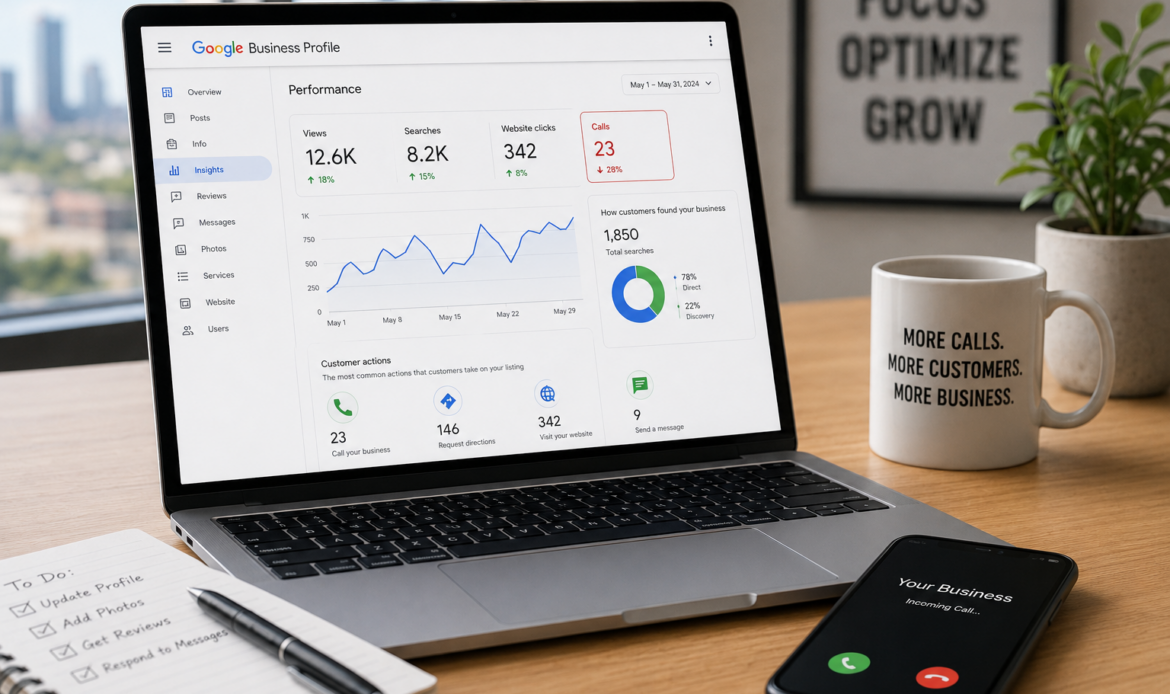
We’ve audited Google Business Profile listings in Houston that sat in the Map Pack at #1 and still produced fewer than five calls a week. In almost every case, the problem wasn’t Google Search visibility, it was what happened after people saw the listing.
A Google Business Profile can earn plenty of impressions on the SERP and still lose the customer journey at the last step: the tap on “Call.” That gap is fixable, often without any ranking change.
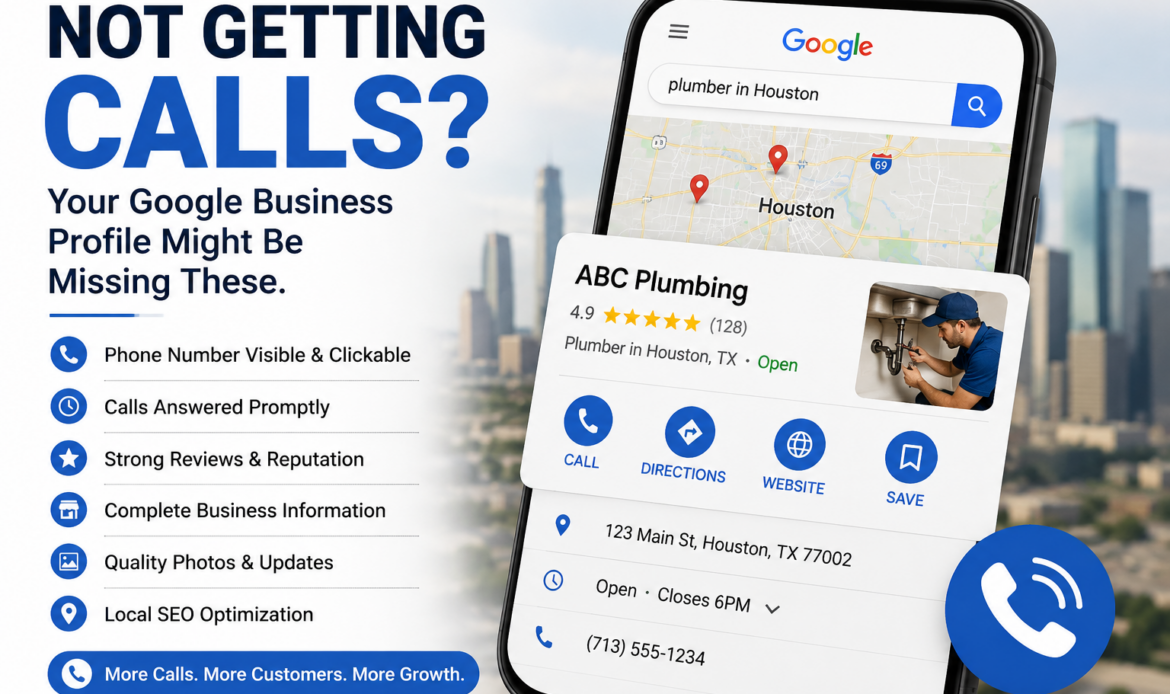
Understand The Real Problem: Visibility vs. Conversion
Being “top 3 in Maps” doesn’t guarantee calls because search intent varies wildly even for the same keyword. A person searching “plumber” at 2:00 a.m. wants an immediate answer, while someone searching “plumber cost” may be shopping and saving numbers for later.
Competition also changes how people behave in the Map Pack. If the other two listings show stronger trust signals like more recent reviews, clearer services, and better photos, users will skip you even if you rank above them.
There are two common failure modes we see in local SEO audits.
Not Being Seen (Impressions Problem)
This is when your listing barely appears for discovery searches, meaning people who don’t already know your brand aren’t finding you. In the Performance tab, you’ll see low impressions, low actions, and often a narrow set of queries.
This usually ties back to keyword relevance, category selection, weak on-page reinforcement, or eligibility issues for service-area business and storefront business setups.
Being Seen But Not Chosen (Conversion Problem)
This is when impressions are healthy but calls, website clicks, direction requests, or messages stay flat. In that case, your conversion rate from views to actions is the real issue.
Set expectations correctly here: more calls can come from profile improvements even if your Map Pack ranking never moves. We’ve seen call volume jump after tightening the Services section, replacing stock photos, and fixing business hours mismatches, with no measurable change in average position.
What A “No-Calls” Profile Usually Signals
A quiet phone line is rarely mysterious. It usually points to one of two realities.
Searchers Don’t Trust The Listing Enough To Tap Call
People hesitate when the listing feels incomplete or inconsistent. Missing attributes, thin service details, outdated photos, vague business description text, and weak review recency all create doubt.
In Houston markets like Downtown Houston, The Heights, and River Oaks, users often have plenty of options within a few miles. When uncertainty shows up, they keep scrolling.
The Listing Is Attracting The Wrong Queries
If you’re showing up for low-volume keywords or informational searches, you can rack up impressions without buyer intent. A common example is a service business appearing for “DIY” or “how much does it cost” style queries, then wondering why calls don’t follow.
We also see mismatches where a company lists extra services “just in case,” which trains Google to show the profile for the wrong discovery searches. As a result, a Google Business Profile not getting calls may actually be attracting the wrong audience rather than potential customers who are ready to buy.
Check Performance Data First (So You Don’t Guess)
Start in your Google Business Profile Performance tab, not in your gut. Look at calls, website clicks, direction requests, and messages side by side, because each action reflects a different intent.
If calls are down but website clicks are steady, users may want more proof before calling. If direction requests are up but calls are down, you might be a storefront business attracting walk-ins, or your phone experience might be turning people away.
Next, compare branded searches vs. discovery searches. Branded searches indicate existing demand for your name, while discovery searches indicate market demand for your services in Houston.
If discovery searches are weak, demand may be seasonal, or your keyword relevance signals are off. If discovery searches are strong but actions are weak, you’re dealing with a conversion problem.
Finally, look for drops after edits in the Info tab, especially category changes, address edits, or service-area updates. We’ve seen “small” changes trigger temporary re-evaluation, which can reduce visibility and actions for a couple of weeks.
Quick Houston Benchmark Questions To Ask
Are impressions steady but calls down, or are both down. The first points to conversion, the second points to visibility.
A Google Business Profile not getting calls may also be sending the wrong signals to Google. If your actions cluster in places you don’t cover, your service area settings and content cues may be misaligned.
Fix The Conversion Killers On Your Profile
When a listing ranks but doesn’t convert, the profile content is usually the bottleneck. Treat the profile like a sales page that has to earn a tap in five seconds.
Strengthen Your Services Section
Your Services section should read like a menu a Houston buyer would recognize. Avoid vague labels and focus on specific offerings, clear outcomes, and what’s included.
Examples of stronger service entries:
- “Same-day water heater replacement (haul-away included)”
- “Panel upgrade with permit coordination”
- “Emergency lockout service (arrival time range listed)”
This also reduces friction in the customer journey because the user can self-qualify before calling.
Upgrade Photos With Proof, Not Polish
Photos are a conversion asset, not decoration. Add recent, real images from job sites, your team in uniform, trucks with signage, your storefront, and before-and-after shots when appropriate.
Stock-heavy galleries tend to underperform because they look interchangeable. In competitive areas like the Energy Corridor and Sugar Land, “real” often beats “perfect.”
Rewrite The Business Description For Intent
Your business description should quickly answer three questions: who you help in Houston, what you do, and why someone should trust you. Include proof points like licensing, years in business, response times, and service boundaries.
A strong description also supports keyword relevance without stuffing. Mention core services and a few real service areas naturally, not as a list of neighborhoods.
Trust Signals That Directly Influence Calls
Fill out attributes that reduce uncertainty, such as payment types, accessibility options, and any industry-specific credentials. Confirm business hours and set holiday hours ahead of time so users don’t call and hit a closed line.
Make the call-to-action obvious by using the correct primary phone, aligning call hours with business hours, and setting expectations like “Calls answered live 8am to 6pm.” If you can’t answer live, say what happens next, such as “Voicemails returned within 15 minutes during business hours.”
Make Sure You’re Ranking For The Right Keywords (Not Just Ranking)
Ranking is only useful if it’s for queries that lead to revenue. A profile can rank well for the wrong thing and still feel “dead.” In many cases, a Google Business Profile not getting calls is attracting visibility without attracting customers who are ready to contact the business.
Start with your primary category. It should match the core service people actually call for, not a broader label you picked because it sounded safer.
Then review your secondary categories. Too many mismatched secondary categories can dilute relevance and attract the wrong discovery searches.
Audit the queries driving impressions in Performance. If you see irrelevant terms, remove mismatch signals from your services, description, and even photos that imply services you don’t want.
Also align your website with your GBP. On-page content should reinforce your categories and services, because Google uses your site to validate relevance.
If you need a bigger picture on how these pieces connect, share this with your team: a full overview of building a coordinated digital marketing system.
Category And Service Alignment Checklist
Primary category matches the service that drives the most calls and highest margins.
Secondary categories support real offerings, not “maybe someday” services.
Services mirror what Houston customers search, including modifiers like “emergency,” “same-day,” or “24/7” only when true.
Eliminate Phone And Contact Issues That Block Calls
Sometimes the profile is fine and the phone setup is the leak. This is especially common when owners say, “We get clicks but no leads,” then we find the phone is wrong, unanswered, or routed poorly.
Confirm the phone number is correct, local, and answered by a real person during listed hours. If you use a call center, test it like a customer and time how long it takes to reach a human.
Avoid call routing mistakes like sending all GBP calls to the wrong department, forcing long IVR menus, or going voicemail-only during peak times. For urgent services, that’s a conversion killer.
Check for phone number approval issues and inconsistent NAP consistency across your website and citations. If your site shows one number, your GBP shows another, and directories show a third, Google may hesitate to trust the data, and customers may hesitate to call.
Common Technical Gotchas
Call forwarding and call tracking can work, but they cause problems when implemented incorrectly. If you swap numbers without keeping your core NAP consistent, you can create trust and indexing issues.
Spam calls and junk call patterns also distort your perception of lead volume. Review blocked numbers settings on devices, check carrier spam filtering, and confirm you’re not accidentally silencing legitimate local callers.
Reviews: The Fastest Path To More Calls Without Ranking Changes
Sometimes the profile is fine and the phone setup is the leak. A Google Business Profile not getting calls is often caused by phone issues rather than visibility problems. This is especially common when owners say, “We get clicks but no leads,” then we find the phone is wrong, unanswered, or routed poorly.
A listing with 300 reviews but none in six months can lose to a listing with 80 reviews and five from the last two weeks. That’s review velocity at work, and it affects click-to-call decisions.
Build a review system that fits how Houston customers actually interact. Ask at the moment of success, use a single link, and keep the request short.
A simple script that works well: “If we did a solid job today, could you leave a quick Google review. It helps other Houston homeowners find a reliable option.”
Respond to reviews consistently. Review responses can naturally reinforce service keywords and service areas, which supports relevance and reduces buyer anxiety.
If you’re building a broader growth plan beyond GBP, this resource on business growth tactics that work together pairs well with your local lead strategy.
What To Do If Reviews Are Old Or Negative
Increase review velocity ethically. Don’t gate reviews, don’t incentivize, and don’t pressure customers.
Use responses to address objections without sounding defensive. Mention concrete reassurances like guarantees, licensing, insurance, turnaround time, or how you handle rework.
If a negative review is legitimate, your response is often more persuasive than the review itself. Many users read the response to judge professionalism and accountability.
Profile Health Checks: Suspensions, Duplicates, And Suspicious Edits
A duplicate listing can quietly split your authority and your calls. If you have two profiles floating around, customers may call the wrong one, or Google may show the weaker profile more often.
Check for duplicates in Maps and in your GBP dashboard, then merge or resolve them properly. If you’re unsure, document everything before you request changes.
Also review the edit history and watch for suspicious edits. The “suggest an edit” feature can change categories, hours, or even your phone number, and those changes sometimes stick long enough to hurt performance.
Past suspension and reinstatement events can correlate with volatility. Even after reinstatement, eligibility signals and trust can take time to stabilize, especially after major Info tab changes.
If you’re planning long-term stability, it helps to anchor your GBP work inside a real strategy. This article on why a digital strategy matters for local companies frames the bigger picture.
When Updates Temporarily Reduce Calls
Name, address, category, and service-area changes can trigger a re-evaluation period. During that window, visibility can wobble and actions can dip.
Plan major edits in batches, then monitor Performance for 2 to 4 weeks. If you change five things every few days, you won’t know what helped or what hurt.
Houston-Specific Local Signals That Improve Call Confidence
Houston buyers often worry about one thing before calling: “Do they actually serve my area.” You can reduce that doubt by mentioning recognizable service areas you truly cover, like Downtown Houston, The Heights, River Oaks, West University, the Energy Corridor, and Sugar Land.
Photos can also carry local credibility. Trucks in recognizable Houston settings, team photos in consistent uniforms, and storefront signage help users feel like you’re established, not a lead broker.
Use GBP Posts to capture seasonal demand. Storm prep, flooding-related remediation, summer HVAC spikes, and holiday hours updates can drive high-intent actions when users are ready to book now.
If you’re thinking ahead, this overview of where business trends are heading can help you plan content and offers around shifting consumer behavior.
Service Area Strategy Without Overreaching
Keep service areas realistic. Overreaching can bring poor leads, lower conversion rate, and more negative reviews from people outside your true coverage.
When appropriate, match your top neighborhoods with dedicated landing pages or service pages. That strengthens relevance signals and improves the experience when users click through from GBP to your site.
A Simple 7-Step Fix Plan To Increase Calls
This sequence works because it prioritizes leaks that stop calls immediately, then builds the trust signals that lift conversion over time.
- Check the Performance tab for trends in calls, website clicks, direction requests, and messages.
- Run a contact audit: phone number accuracy, answer rate, routing, voicemail, and business hours alignment.
- Validate categories: confirm the primary category matches your core money service, then tighten secondary categories.
- Rewrite Services section entries to match real buyer language and outcomes.
- Replace or add photos that prove you’re real, current, and local.
- Build review recency with a simple, repeatable request process and consistent review responses.
- Publish GBP Posts tied to seasonal Houston demand, then monitor weekly.
Quick wins that can lift calls within days include fixing hours, adding missing services, updating the primary phone, and swapping in recent job photos. Longer-term lifts usually come from steady reviews and tighter keyword relevance.
If you want to see how an agency approaches these audits end to end, this page explains what sets our local SEO team apart.
Common Mistakes To Avoid
Chasing rankings instead of conversion by changing names or categories too often. Frequent edits can trigger volatility and confuse both Google and customers.
Using generic descriptions and stock images that don’t build trust. If your listing looks like it could belong to any city, Houston searchers treat it like a risk.
FAQs
How Do I Enable The Call Option In My Google Business Profile?
Add a valid primary phone number in your profile and make sure it’s set to display publicly. Confirm your listing is verified, your category is eligible, and the phone number appears correctly in the Info tab.
Also check that your business hours and holiday hours are accurate, because users often avoid calling listings that look unreliable or “maybe closed.”
How Do I Get More Calls On Google Business?
Focus on conversion signals first: correct categories, a detailed Services section, strong recent photos, accurate hours, and a fast answer rate. Then build review recency with a steady review velocity and consistent review responses that address common buyer concerns.
Track CTR from the listing where possible, plus calls, website clicks, and direction requests weekly so you can see what actually moves outcomes.
Why Is My Phone Number Not Getting Approved In Google Business Profile?
The most common causes are inconsistent NAP consistency across your website and citations, using a number type Google doesn’t trust, or triggering policy concerns. Use a direct local number whenever possible, match it everywhere online, and avoid swapping numbers repeatedly.
If you use call tracking, set it up carefully so your core business number remains consistent for long-term trust.
Why Do I Keep Getting Calls About My Google Business Listing?
Many of these are sales or spam calls targeting GBP owners, especially after your listing becomes more visible. Screen unknown numbers, be cautious about sharing admin emails publicly, and set call routing rules carefully so you don’t block real leads.
If you’re missing legitimate calls, review blocked numbers and carrier spam filtering settings, because those tools can misclassify real Houston customers as junk call traffic.